If you've recently changed your phone number or simply want to update your TikTok account information, you're in the right place! TikTok is a vibrant social media platform that thrives on user engagement and connectivity. Keeping your account information up to date is essential, especially when it comes to your phone number, which is crucial for account recovery, security, and notifications. In this guide, we will walk you through the steps to change your phone number on TikTok, ensuring that you stay connected with your followers and friends.
Updating your phone number on TikTok not only secures your account but also helps you receive important updates and alerts directly to your mobile device. If you are facing issues or have questions about this process, you’re not alone; many users encounter challenges when trying to change their details. This article is designed to provide clear, step-by-step instructions, as well as tips to streamline the process.
Let’s dive into the specifics of how to change your phone number on TikTok. Whether you're a seasoned user or a newcomer, understanding the steps involved will empower you to manage your account effectively. From troubleshooting common issues to ensuring your account remains secure, we’ve got everything covered.
What is TikTok and Why is Phone Number Important?
TikTok is a popular social media platform that allows users to create, share, and discover short videos. With millions of active users worldwide, it has become a hub for creativity and entertainment. One of the features that enhance user experience is the ability to secure your account with a phone number.
How Does Phone Number Security Work on TikTok?
Adding a phone number to your TikTok account serves multiple purposes:
- Account recovery in case you forget your password.
- Two-factor authentication for enhanced security.
- Notifications on account activity and updates.
How to Change Your Phone Number on TikTok?
Changing your phone number on TikTok is a straightforward process. Follow these steps to ensure a smooth transition:
Step 1: Open the TikTok App
Launch the TikTok app on your mobile device and log into your account if you haven’t already.
Step 2: Navigate to Your Profile
Tap on the 'Profile' icon located at the bottom right corner of the screen.
Step 3: Access Account Settings
In your profile, tap on the three dots or the menu icon in the top right corner to access 'Settings and Privacy.'
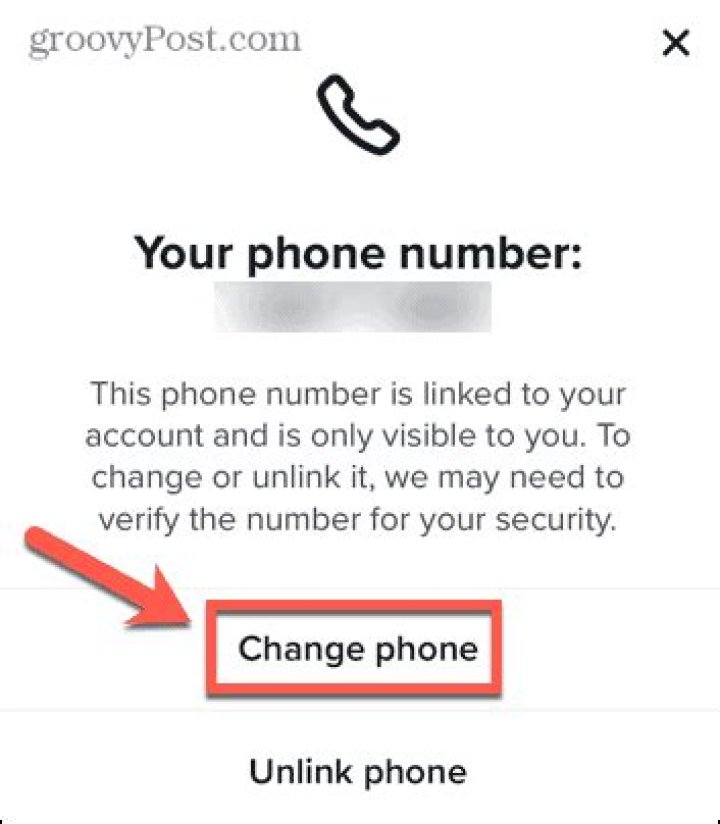
Step 4: Change Your Phone Number
Under the 'Account' section, you will find an option to manage your phone number. Click on it and follow the prompts to update your number.
What to Do If You Can't Change Your Phone Number on TikTok?
If you encounter issues while trying to change your phone number, consider these troubleshooting steps:
Check Account Verification
Ensure that your current phone number is verified. If it’s not, you may need to complete the verification process before making changes.
Contact TikTok Support
If problems persist, reaching out to TikTok support can provide personalized assistance. You can do this by navigating to the 'Report a Problem' section in your account settings.
Can You Change Your Phone Number Without Accessing the Old Number?
Yes, it is possible to change your phone number even if you do not have access to your old number. TikTok may require you to verify your identity through other means, such as an email associated with your account.
What to Do If You Lose Access to Your Phone Number?
If you lose access to your phone number, here are a few steps to follow:
- Try to recover your old number through your mobile carrier.
- Use an email linked to your TikTok account for verification.
- Follow TikTok's recovery options for lost accounts.
Is It Necessary to Change Your Phone Number Regularly?
While it is not necessary to change your phone number regularly, it is good practice to update your information if you switch carriers or experience security concerns. Keeping your contact information current ensures that you receive important updates and alerts.
Conclusion: Keeping Your TikTok Account Secure
Updating your phone number on TikTok is essential for maintaining the security and accessibility of your account. By following the steps outlined in this guide, you can easily change your phone number and ensure that you stay connected with your TikTok community. Whether you’re creating content or engaging with others, keeping your account information up to date is key to a seamless experience on the platform.
Remember, if you encounter any challenges, don’t hesitate to reach out to TikTok support for assistance. Your TikTok journey should be enjoyable, and having the right information will help you make the most of it!
Exploring The Mind Of Jeff Goldblum: Is He Autistic?
Unveiling The World Of Katygomita: A Unique Perspective
Neyo's Unexpected Love Journey On Love Island